Introduction
SvcHub is a universal Root module for KernelSU / Magisk / APatch that manages boot-start and keep-alive for two types of services (Termux services + binary services) with an aggregated WebUI.
The original motivation: run services on a bare kernel and manage them in one place, instead of installing one module per service.
Two Service Types
| Termux Service | Binary Service | |
|---|---|---|
| Environment | Termux environment | System root environment |
| Runs as | Termux user, with an optional per-service "run as root" switch | root |
| Working directory | /data/data/com.termux/files/home | Configurable, default /data/media/0/Server |
Note: Starting a service inside Termux does not start the Termux background app; no autostart helper is needed.
Screenshots
| Service Status | Service Config | Settings |
|---|---|---|
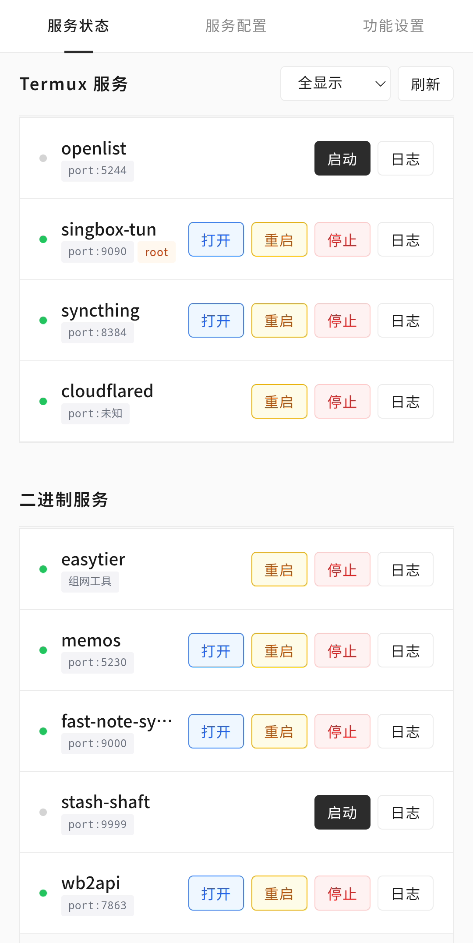 | 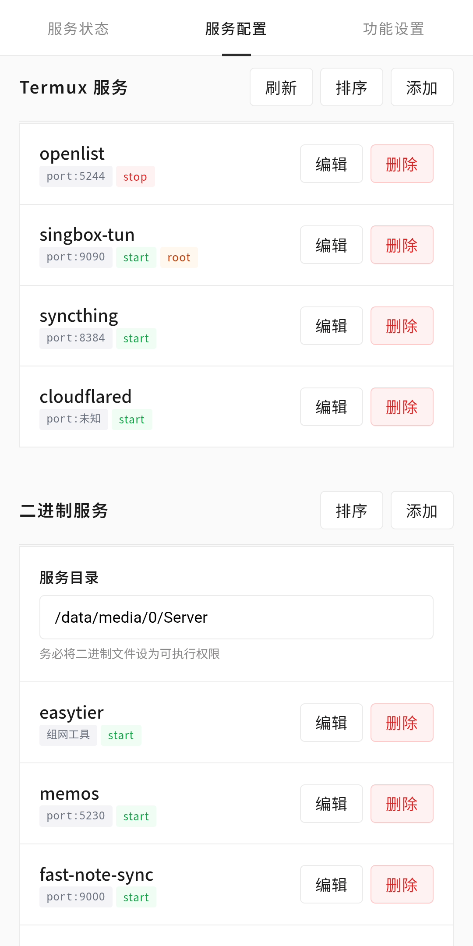 | 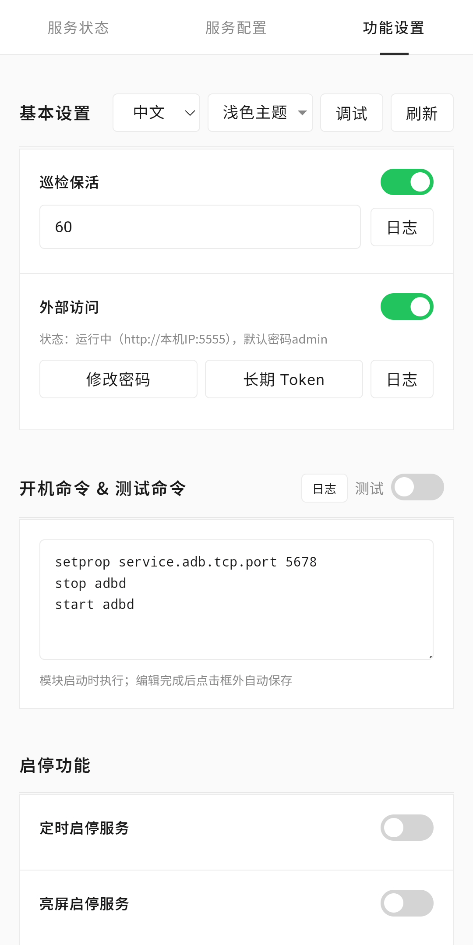 |
| Start/Stop Features | Service Logs | Web Login |
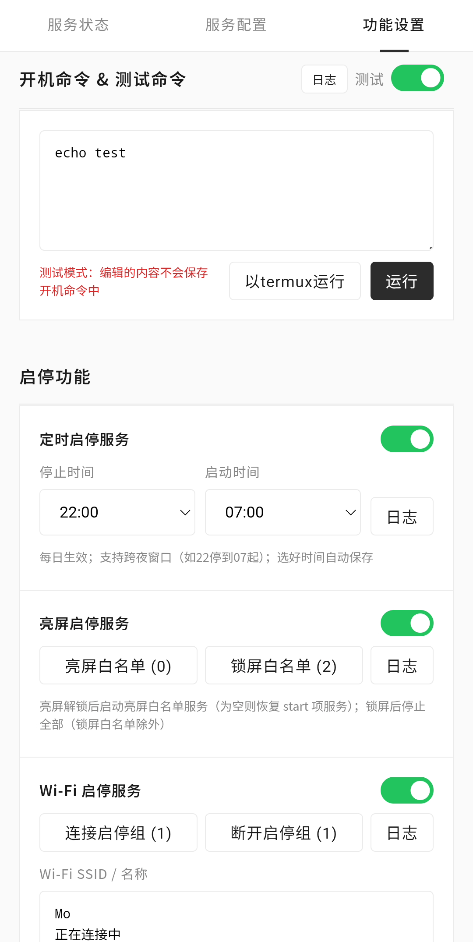 | 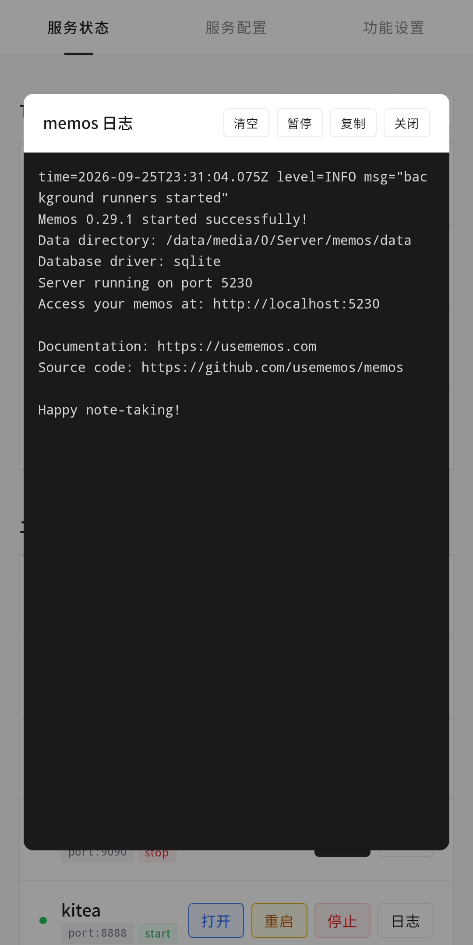 | 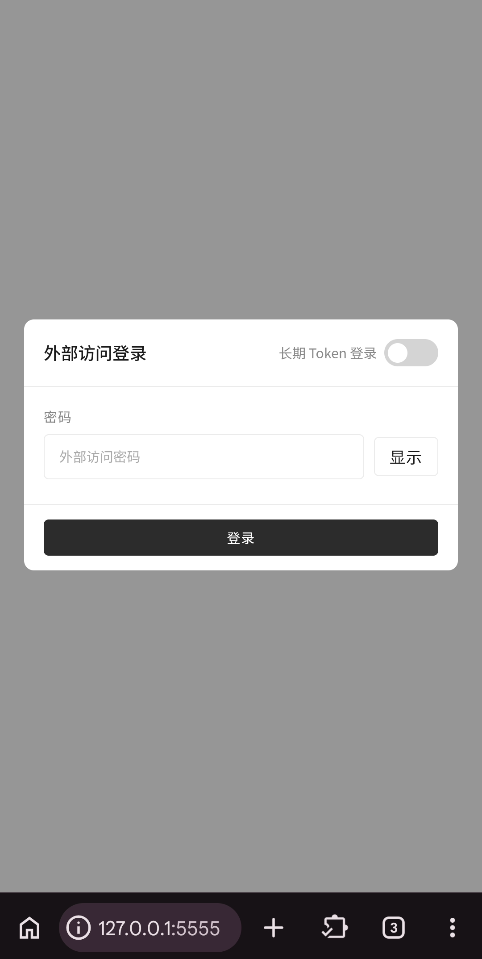 |
Getting Started
- Download the module ZIP from Releases
- In your root manager → Modules → Install from local storage, flash the ZIP; volume keys offer an optional DNS resolve mount (skipped by default)
- Reboot after installation; existing configuration is preserved on upgrade
- In KernelSU or APatch manager → Modules → open SvcHub → enter the WebUI; swipe to browse pages
Magisk users have no in-manager WebUI entry. With external access enabled (on by default), visit
http://127.0.0.1:5555in a browser; default password isadmin.
Configuration guides for each service type: Termux Service and Binary Service. See Service Examples for complete configurations.
See Start/Stop Services and Patrol Keep-alive for feature details, and Notes for must-reads.